

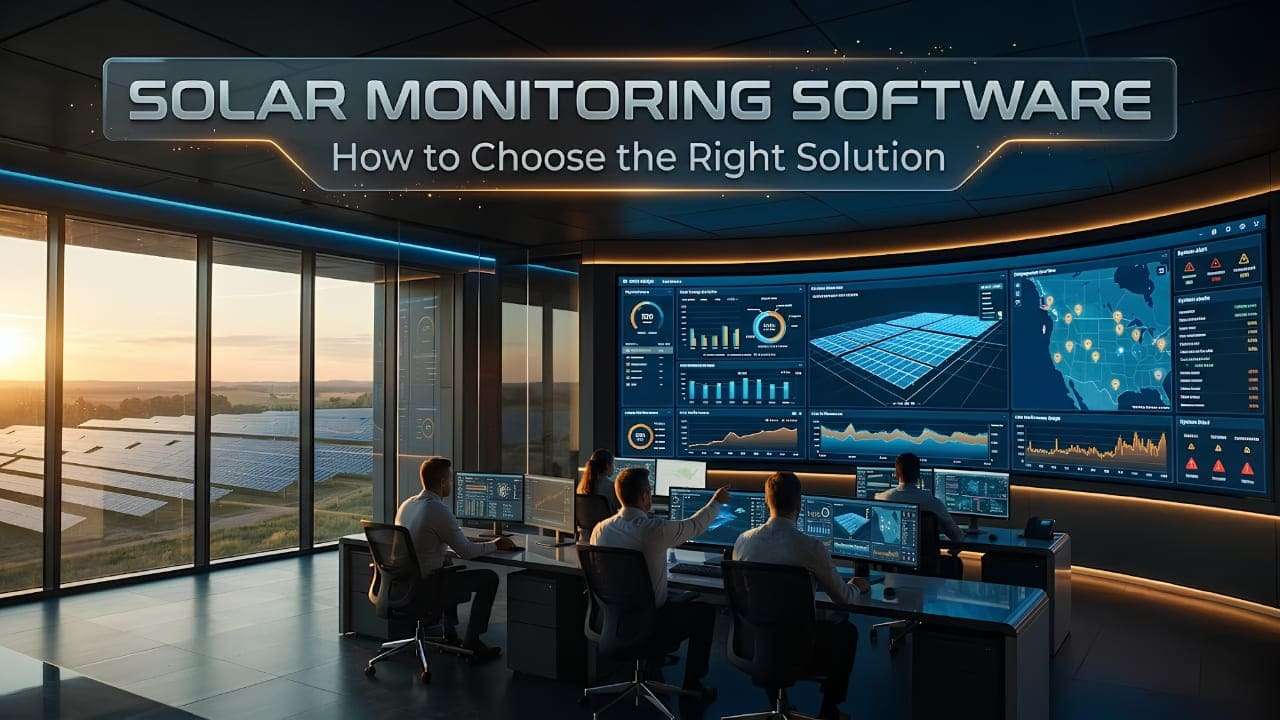
Choosing the right solar monitoring solution is essential for businesses seeking better visibility into plant performance, equipment faults, and energy generation. Without centralized monitoring, identifying underperforming equipment and evaluating operational issues can become challenging. According to the U.S. National Renewable Energy Laboratory (NREL), research covering nearly 2,500 commercial and utility-scale photovoltaic sites highlights the importance of understanding system performance over time.
When evaluating a solution, businesses should prioritize:
- Real-time visibility: Monitor generation and inverter performance.
- Intelligent alerts: Identify potential faults and operational issues.
- Actionable reporting: Evaluate performance and support maintenance decisions.
The right solar monitoring software should match your equipment, operational requirements, and long-term monitoring goals.
What Is Solar Monitoring Software?
Solar monitoring software helps businesses evaluate solar plant performance, track equipment status, and identify operational issues through a centralized dashboard. When choosing a solution, businesses should assess its monitoring capabilities, device compatibility, reporting features, and alert options.
For example, if an inverter stops reporting data or a solar plant generates less electricity than expected, the software can help operators investigate the issue using available performance data.
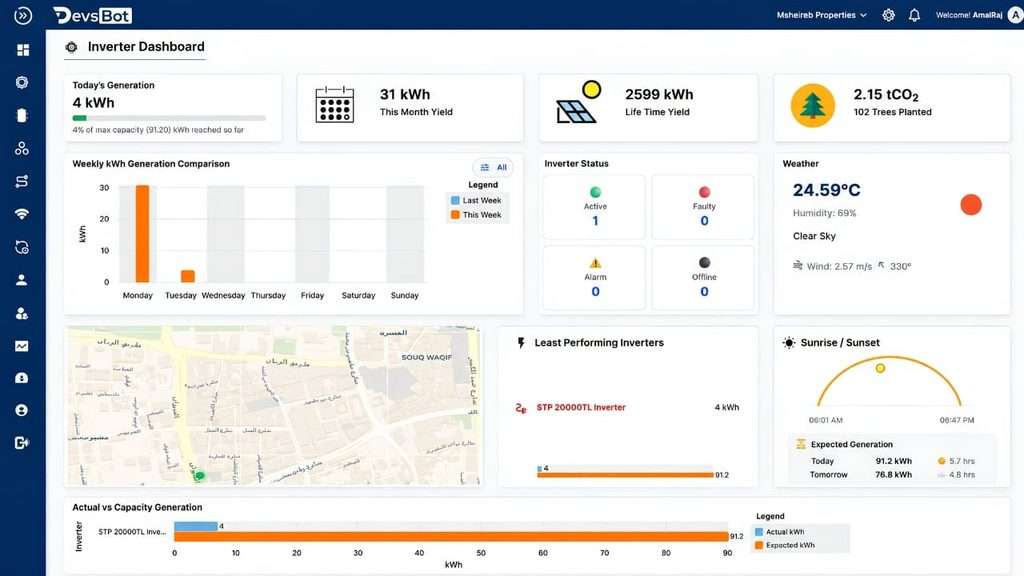
Key capabilities to evaluate include:
- Generation monitoring: Review electricity production over time.
- Equipment monitoring: Check inverter status and connected device data.
- Fault alerts: Receive notifications when configured conditions occur.
- Performance reports: Compare actual output with expected performance.
| Capability | Business value |
| Live dashboards | Faster visibility into plant status |
| Automated alerts | Earlier investigation of potential faults |
| Historical reports | Better-informed maintenance decisions |
Key Features to Look for in Solar Monitoring Software
Choosing the right platform means evaluating features that match your solar plant’s operational needs. Focus on capabilities that help your team monitor performance, investigate faults, and make informed decisions.
- Real-Time Generation Monitoring: Track electricity production and identify unexpected drops in output.
- Inverter and String-Level Monitoring: Review inverter status and, where supported, identify underperforming solar strings.
- Automated Fault Alerts: Receive notifications when equipment stops reporting data or crosses configured thresholds.
- Performance Reporting: Analyze historical generation, Performance Ratio (PR), and other available metrics.
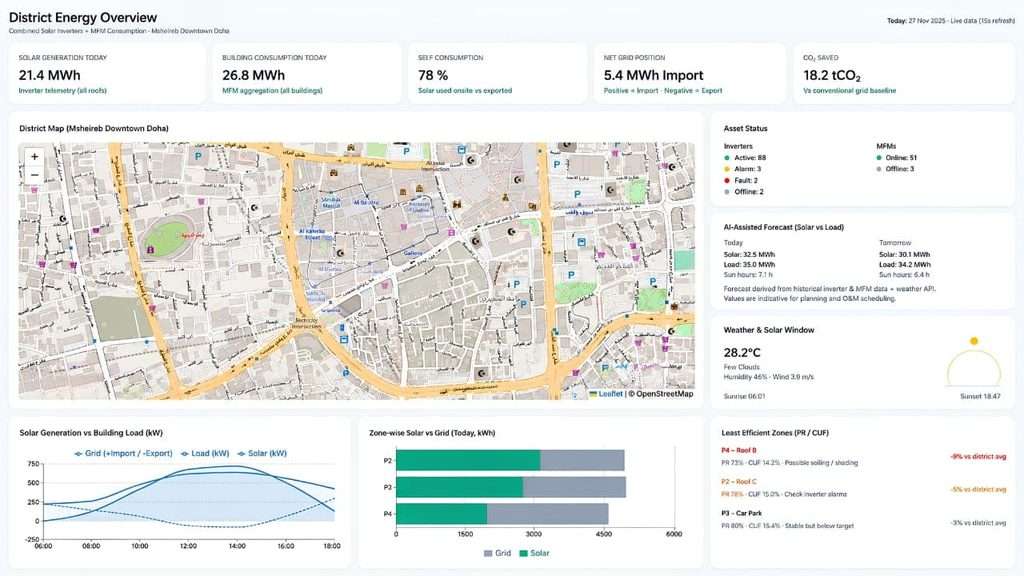
- Multi-Site Monitoring: Manage data from multiple solar installations through one dashboard.
- Device Compatibility: Check whether the platform supports your existing inverters, meters, sensors, and communication protocols.
How to Choose the Right Solar Monitoring Software for Your Business
Choosing the right solar monitoring software starts with understanding your plant’s operational needs. Compare providers based on the following factors before making a decision.
- Define your requirements: Decide whether you need energy generation tracking, inverter monitoring, fault alerts, or multi-site reporting.
- Check equipment compatibility: Confirm that the platform supports your existing inverters, meters, sensors, and communication protocols.
- Evaluate reporting features: Look for historical data, performance reports, and export options that help your team analyze results.
- Review alert capabilities: Check whether the platform supports notifications for specific faults or configured performance thresholds.
- Assess integration requirements: Determine whether the software can connect with your existing equipment and systems.
- Consider scalability: Choose a solution that can accommodate additional devices or solar installations as your business grows.
- Compare total costs: Ask providers about software subscriptions, integration, installation, and ongoing support.
Example: If your company operates three solar plants, a centralized dashboard that supports all three installations could simplify performance reviews across locations.
Before choosing a provider, request a product demo to check whether its features, equipment compatibility, and reporting options meet your business needs.
Solar Monitoring Software vs. Basic Inverter Monitoring
Basic inverter monitoring helps solar plant operators check individual inverter performance, energy generation, and equipment status. Solar monitoring software can offer broader visibility by combining data from multiple supported devices into one platform.
The right choice depends on your plant’s size, equipment, and reporting requirements.
| Feature | Basic Inverter Monitoring | Solar Monitoring Software |
| Energy tracking | Inverter-level data | Data across supported devices |
| Dashboard | Often inverter-specific | Can provide centralized visibility |
| Alerts | Depends on the inverter platform | May offer configurable, cross-device alerts |
| Reporting | Device-level reports | Can combine plant-level performance data |
When should you consider a dedicated platform?
- Single small installation: Basic inverter monitoring may meet your needs.
- Multiple solar plants: Centralized monitoring can simplify performance reviews.
- Complex operations: Integrated reporting and alerts can help teams investigate issues efficiently.
Example: If your business operates several solar sites with different inverter brands, a compatible monitoring platform may bring their data together for easier analysis.
Before investing, verify device compatibility and compare the capabilities you actually need.
How Much Does Solar Monitoring Software Cost?
The cost of solar monitoring software depends on your plant’s size, equipment, integration needs, and reporting requirements. Some providers include basic monitoring with their inverters, while advanced platforms may charge software subscription fees or setup fees.
Consider these cost factors before choosing a solution:
- Plant size: Larger installations may require more devices and data connections.
- Software features: Advanced analytics, automated alerts, and multi-site dashboards can affect pricing.
- Integration: Connecting existing inverters, meters, and sensors may involve additional costs.
- Installation and support: Ask about setup, training, maintenance, and ongoing technical support.
For example, a business monitoring one rooftop solar installation may need fewer integrations than a company managing several plants across different locations.
Before requesting a quotation, ask providers:
- Does the price include installation and configuration?
- Are subscriptions or additional device connections charged separately?
- Can the platform scale as your business grows?
Request an itemized quotation to understand the software fees, integration costs, installation charges, and ongoing support expenses.
Why Choose Niraltek for Solar Monitoring?
Choosing solar monitoring software involves more than tracking electricity generation. Businesses also need visibility into equipment performance, access to useful monitoring data, and reporting that supports operational decisions.
Niraltek’s Solar Energy Monitoring System uses the DevsBot platform to help businesses monitor connected solar assets. When evaluating the solution, consider the monitoring capabilities, reporting options, and equipment integrations that match your plant’s requirements.
Key capabilities to discuss with Niraltek include:
- Centralized Monitoring: Explore how available solar performance data can be viewed through a unified dashboard.
- Inverter Monitoring: Check how supported inverter data can be used to review equipment status and energy generation.
- Performance Reporting: Evaluate the available metrics and historical data for reviewing plant performance.
- Fault Alerts: Confirm which alerts and notification options are supported for identifying potential operational issues.
- Equipment Integration: Discuss compatibility with your existing inverters, meters, sensors, and communication systems.
For example, when a solar plant experiences an unexpected drop in generation, monitoring data can help the operations team investigate potential causes and determine whether further action is needed.
Looking for a solar monitoring solution for your plant? Explore Niraltek’s Solar Energy Monitoring System to learn more about the solution and discuss your plant’s requirements with the team.
Conclusion:
Choosing the right solar monitoring software starts with understanding your plant’s monitoring requirements, equipment compatibility, reporting needs, and future expansion plans. A suitable solution should help your team review energy generation, monitor equipment performance, and investigate potential issues using available data.
Before selecting a platform, evaluate its features, integration capabilities, scalability, and overall cost to determine whether it fits your operational needs.
Frequently Asked Questions
1. What should I consider when choosing a solar monitoring solution?
Evaluate equipment compatibility, real-time data access, alerts, reporting features, integration options, scalability, and total cost. Choose a platform that matches your plant’s operational requirements.
2. Can I monitor multiple solar plants from one dashboard?
Yes, some platforms support centralized monitoring across multiple installations. Check whether the provider can integrate your equipment and display data from all your locations in one dashboard.
3. Does monitoring software work with different inverter brands?
Compatibility depends on the platform, inverter models, communication protocols, and available integrations. Ask the provider to confirm support for your existing equipment before purchasing.
4. How can monitoring software help identify solar plant performance issues?
It can help operators review generation trends, inverter status, alerts, and historical data. For example, an unexpected drop in output may prompt the team to investigate equipment faults, shading, or other operational factors.
5. How much does a solar monitoring solution cost?
Pricing varies with plant size, connected devices, software features, integration requirements, installation, and support. Request a customized quotation to understand the full cost.
6. Can I receive alerts when my solar equipment develops a problem?
Many platforms offer alerts for supported faults, communication failures, or configured performance thresholds. Confirm which alert types the provider supports and how the system delivers notifications.
7. How do I evaluate a solar monitoring software provider?
Review product capabilities, equipment compatibility, reporting options, integration support, pricing, and technical assistance. Request a demo and test the platform against your actual monitoring requirements.